
Fall detection without a wearable
Fall detection without a wearable.
Sensors, watches and pendants compared.
Smartwatches and SOS pendants have helped a lot of people. They share one weakness, though: they only work when they are worn, charged and, often, pressed. Here is an honest comparison with wall-mounted radar sensors, so you can choose what actually fits your parents.
The problem with wearables at home
Take a smartwatch with fall detection. Apple Watch, for example, turns fall detection on automatically for people aged 55 and over. If it senses a hard fall and the wearer stays still for about a minute, it calls emergency services and alerts their emergency contacts. That is genuinely useful. Apple is also clear that the watch cannot detect every fall, and it needs a cellular, Wi-Fi or satellite connection to call for help.
The bigger issue is simpler. The watch has to be on. Most people take it off to bathe, charge it overnight and forget it on the dressing table now and then. Those are the exact moments when a fall at home is most likely to go unnoticed.
Pendants and SOS buttons have the same gap, plus another: many of them depend on the person pressing a button. In a well-known UK study of people over 90, those who fell alone and could not get up did not use their call alarm in 80% of those falls. Some were not wearing it. Others did not want to make a fuss, or simply could not reach it.
Sources: Apple Support, Use Fall Detection with Apple Watch; Fleming and Brayne, BMJ 2008.
Side by side
Swipe sideways to see every column.
| What matters | Wall-mounted radar sensor | Smartwatch with fall detection | SOS pendant |
|---|---|---|---|
| Works without being worn | YesStays on the wall | NoOnly on the wrist | NoOnly around the neck |
| Protects during a bath | YesWorks through steam | PartlyOnly if kept on | PartlyOnly if kept on |
| No daily charging | YesNone, plugged in | NoMost need charging every day or two | PartlyVaries by model |
| No button to press | YesNothing to press | PartlyNot for hard falls it detects | NoMany rely on a press |
| Notices long stillness | YesYes | NoNot usually | NoNot usually |
| Works outside the home | NoOnly rooms with a sensor | YesYes, with a connection | PartlySome models |
Wearables vary by brand and model. Check the specific device you are considering.
When a wearable still makes sense
If your father walks to the park every morning or your mother travels on her own, a watch protects them out there in a way a sensor on the wall never can. For an active parent, the best answer is often both: the watch for outside, NoBlink for home.
If your parents mostly stay home, refuse to wear anything, or forget to charge things, a sensor that needs nothing from them will protect them far more of the time.
Questions to ask before you choose
- Will they really wear it every day, including at night and in the bathroom?
- Does it need a button press, and could they press it if they were hurt?
- Who gets alerted, how, and what happens if nobody answers?
- What does it need to keep working: charging, a SIM, Wi-Fi?
- Does it use a camera anywhere in the home?
Where NoBlink fits
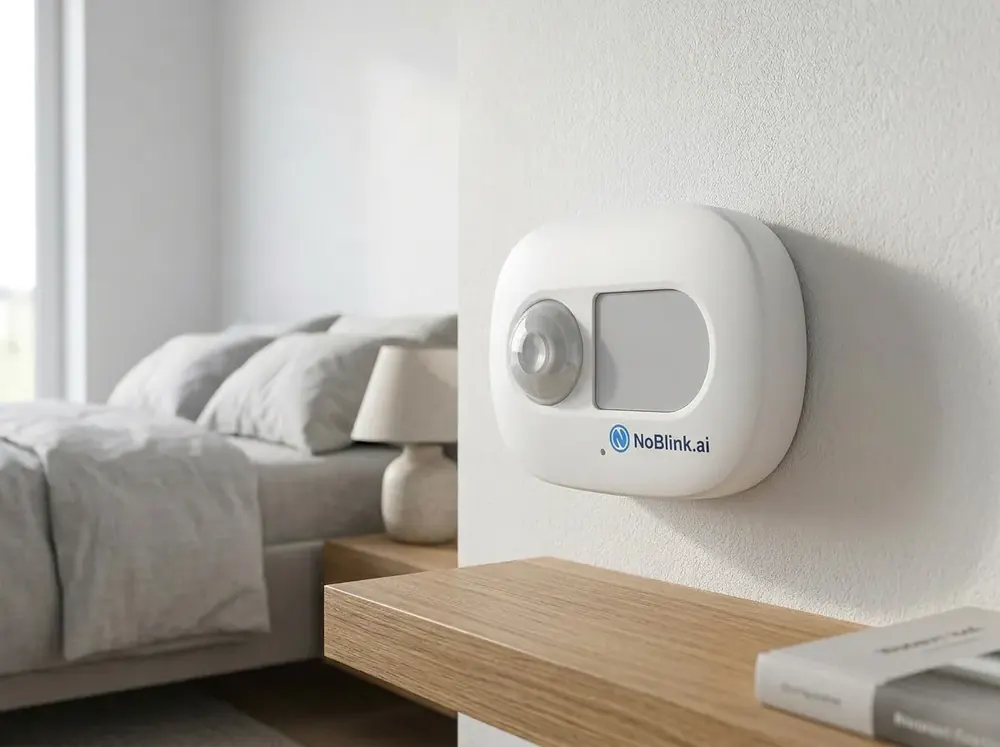
NoBlink puts small radar sensors in the bathroom, bedroom and living areas, plus a bed monitor for night-time get-ups. When it detects a fall or a long, unusual stillness, it calls the family members or neighbours you choose and sends an alert on the NoBlink app. Your parent never has to remember a thing.
How NoBlink fall detection worksCommon questions
Are smartwatch fall alerts reliable?
They can help, but they have limits. Apple itself says Apple Watch cannot detect all falls and needs a cellular, Wi-Fi or satellite connection to call for help. Above all, a watch can only detect a fall while someone is wearing it.
Do SOS pendants detect falls on their own?
Some do, many do not. A lot of pendants still depend on the person pressing a button. In a UK study of people over 90, those who fell alone and could not get up did not use their call alarm in 80% of cases.
Can we use a watch and NoBlink together?
Yes, and for an active parent that is often the best setup. The watch covers walks, the park and the market. NoBlink covers the bathroom, the bedroom and the hours when the watch is off.
What can a wearable do that NoBlink cannot?
A wearable goes wherever the person goes. NoBlink only protects the rooms where its sensors are installed, so it does not help on a walk or a trip out of town.
Keep reading
Protection that does not
depend on remembering.
Book a short call and we will help you work out whether a sensor, a watch or both suits your parents.